Where Citi Mobile Actually Feels Faster Than Most Banking Apps
The Citi Mobile app does exactly what you need it to do: check balances, pay bills, lock cards, and move money between accounts. It's not fancy, but it's solid. The login experience is fast once you set up fingerprint authentication—typically under two seconds on iOS. On Android, you get the same speed, though some users report that the app occasionally triggers security verification screens even when you're just checking your balance from home. The interface responds well, payment submissions process immediately, and your available credit limit updates right after you pay your bill. No waiting around.
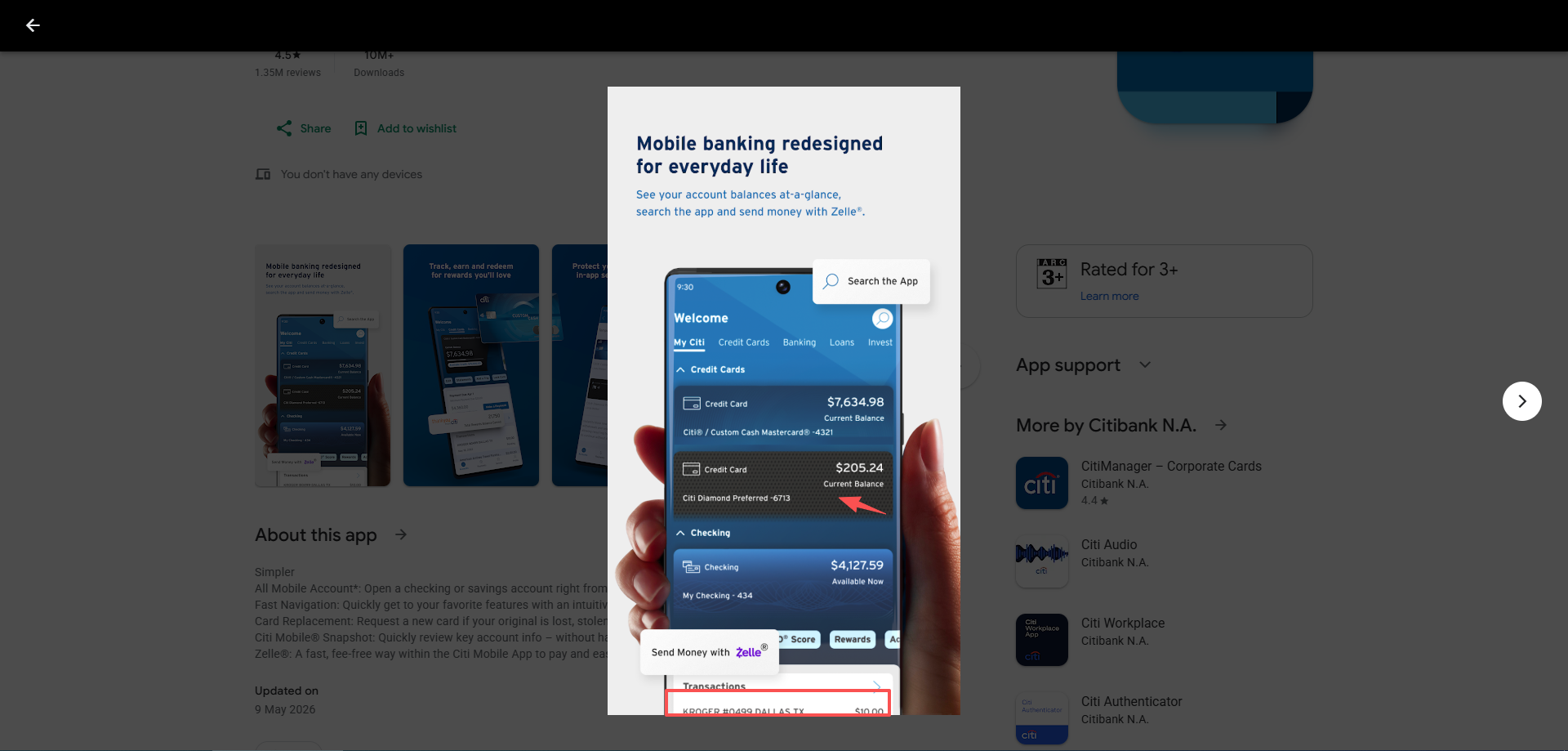
Where the app falters is with edge cases. If you're accessing it on a smaller Android phone or older iPhone SE, the payment confirmation buttons sometimes overlap with other UI elements, making them a pain to tap. It's a minor friction point, but it happens. And if you try to use the "Snapshot" quick-view feature before logging in, the app occasionally gets confused and forces you through the full login process anyway—defeating the purpose of having a quick view option.
On slower networks, the app occasionally requests a PIN before you've finished typing your password. This is likely a security timeout mechanism, but it's annoying when you're tethering on a road trip or dealing with spotty WiFi at the airport.
Managing Your Cards: The Day-to-Day Grind
Checking your credit limit and recent transactions is straightforward. You see pending transactions separately from posted ones, which is useful for tracking what's about to hit your account. The pending transactions screen updates fairly quickly—usually within a few minutes of swiping your card at a store or merchant.
One area where the app performs surprisingly well is payment processing. Payments reflect almost immediately in the available balance, which is something many competing banking apps still handle poorly.
The main frustration comes from navigation inconsistencies. Scheduled payments are buried deeper inside the payments menu than most users expect, especially compared to Chase or Amex.
Points of Friction
Co-branded cards are still a little inconsistent inside the app. Some AAdvantage or Costco card details appear correctly, while certain rewards sections still redirect users back to the desktop website.
Scheduled payments also feel harder to locate than they should be. Instead of appearing directly under the card dashboard, they are hidden deeper inside the payments section.
Spending alerts remain fairly basic compared to newer fintech apps. Alerts exist, but category-based limits or monthly spending triggers are still missing.
Recent Changes Inside The App
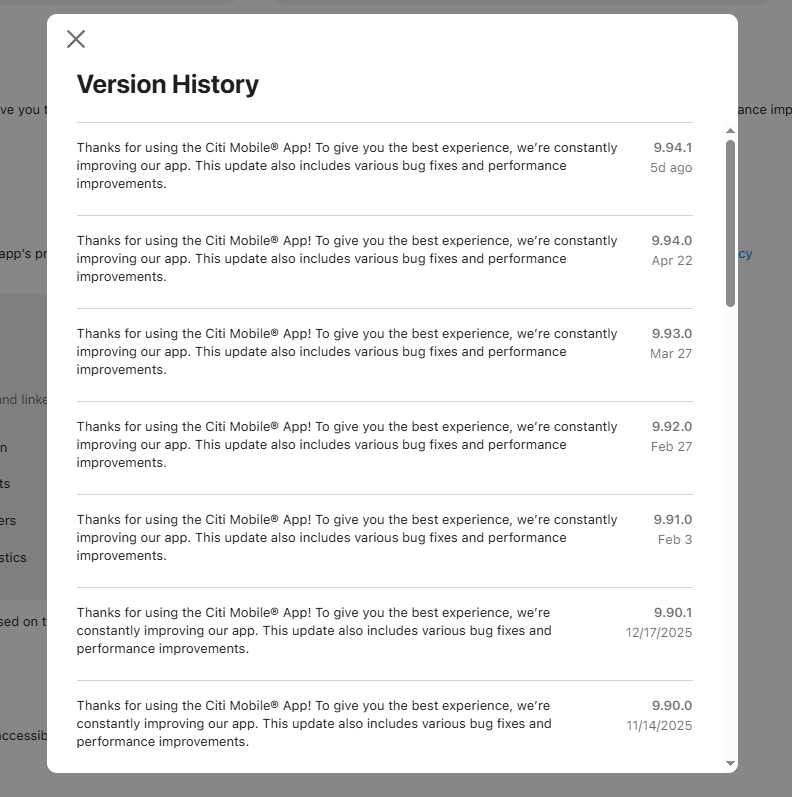
Recent app updates appear to focus mostly on login reliability, biometric authentication, and reducing random session timeouts during weaker network connections.
Positive Feedback
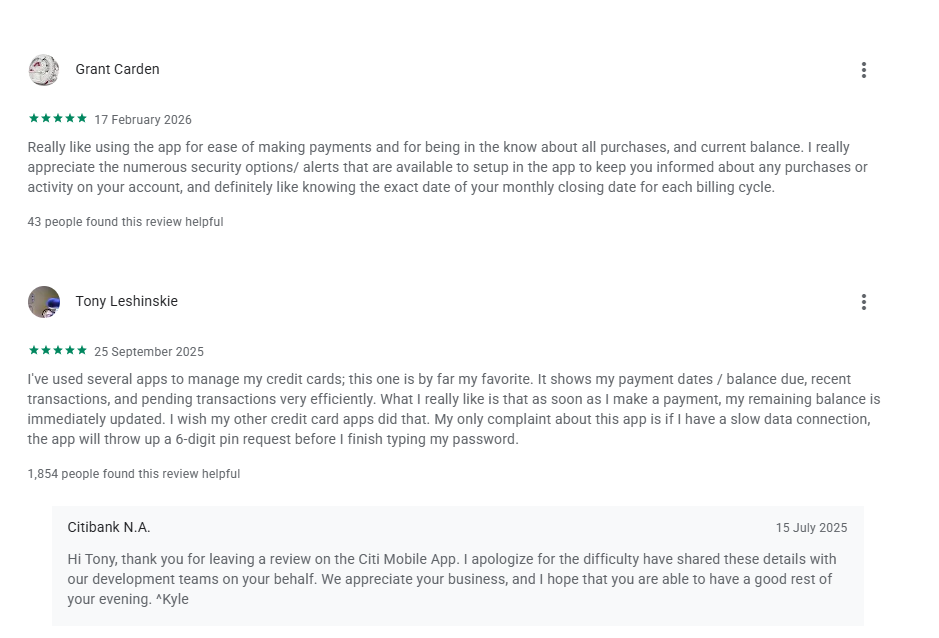
Grant Carden ★★★★★
"Really like using the app for ease of making payments and for being in the know about all purchases, and current balance. I really appreciate the numerous security options/ alerts that are available to setup in the app to keep you informed about any purchases or activity on your account, and definitely like knowing the exact date of your monthly closing date for each billing cycle."
43 people found this helpful
Tony Leshinskie ★★★★★
"I've used several apps to manage my credit cards; this one is by far my favorite. It shows my payment dates / balance due, recent transactions, and pending transactions very efficiently. What I really like is that as soon as I make a payment, my remaining balance is immediately updated. I wish my other credit card apps did that. My only complaint about this app is if I have a slow data connection, the app will throw up a 6-digit pin request before I finish typing my password."
1,854 people found this helpful
Mixed Feedback
Stephen Torain (SMT) ★★★★
"The app works really well. Paying my card bill & seeing my account balances is simple. Movement of money is pretty easy too. It is a bit cumbersome to navigate to viewing scheduled card payments however. They are not retrievable from the card screen. Must go through a few extra steps on the payments (not transfers) screen. 1 star off for that, but still very good."
418 people found this helpful
Things That Start Getting Annoying After A Few Weeks
The biggest annoyance is probably the app's security behavior while traveling...
Who Should Use This App?
The app makes the most sense for US-based Citi customers who mainly need quick access to balances, card payments, and transaction monitoring. Travelers carrying Costco Anywhere Visa® or AAdvantage® cards may also benefit from the lack of foreign transaction fees, although international users still report occasional security-verification issues while abroad.
Final Verdict
Citi Mobile succeeds at the fundamentals. The app is fast, stable, and practical for everyday banking. Paying bills, reviewing transactions, locking cards, depositing checks, and moving money between accounts all work reliably. For most US-based Citi customers, that's enough—and it's the reason the app maintains such high App Store ratings.
Where the experience becomes more complicated is during edge-case scenarios: traveling internationally, switching devices, dealing with unstable internet connections, or trying to manage more advanced financial workflows. Citi's security systems are aggressive by design, and while that improves fraud prevention, it can occasionally create friction for legitimate users.
If your primary goal is simple account management and credit card monitoring, the app performs extremely well. But if you're constantly abroad, managing multiple currencies, or frequently wiring money internationally, you'll probably end up supplementing Citi Mobile with other financial tools.
As a basic banking app, Citi Mobile is better than expected.As an international finance app, it still feels behind newer fintech competitors.