Google Chrome: A Familiar Workspace That Rarely Gets in Your Way
Google Chrome feels like the “Swiss Army knife” of modern browsers — fast, smart, deeply connected, and sometimes a little heavier than you’d like. One reason Chrome remains so popular is simple: it’s easy to live with.
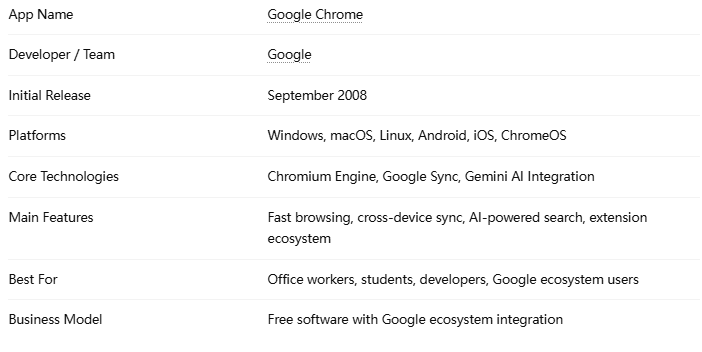
Its customization options are also better than many people realize:
Dark mode support
Profile separation for work/personal life
Theme customization
Reading mode and side panels
Quick access shortcuts
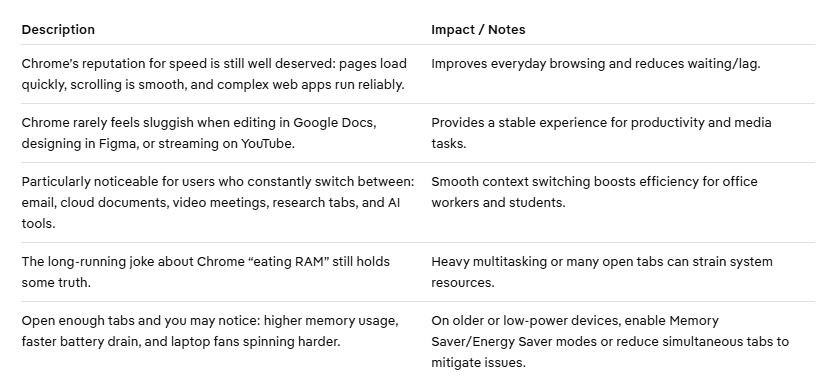
Performance: Fast Like a Sports Car, Heavy Like an SUV
Google has improved this with features like Memory Saver Mode and Energy Saver Mode, which automatically pause inactive tabs. These updates genuinely help, especially on mid-range laptops. But compared to lighter browsers like Mozilla Firefox or Microsoft Edge, Chrome still feels more resource-hungry. If your computer is modern and reasonably powerful, this likely won’t matter much. On older devices, it becomes more noticeable.
The Real Star: AI Features and Cross-Device Sync
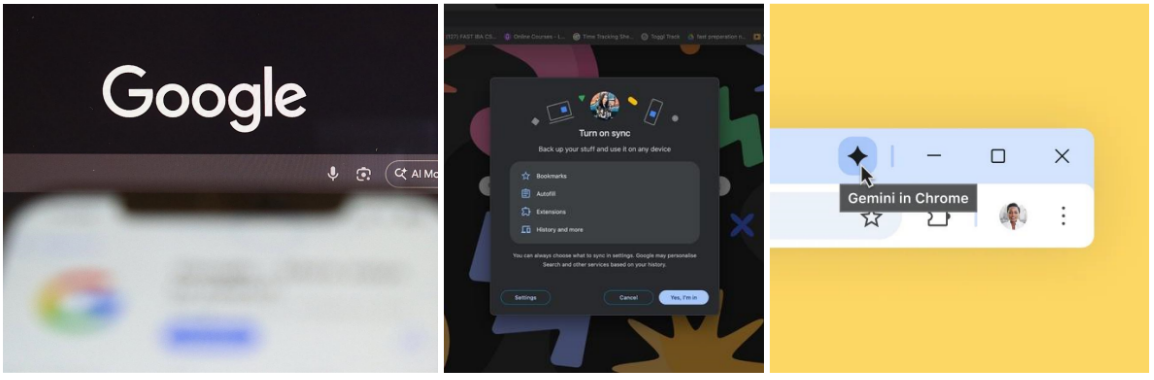
The most interesting thing about Chrome today is not just browsing speed — it’s how deeply Google is integrating AI and ecosystem connectivity into the experience.
Gemini Integration Changes Everyday Browsing
Chrome now works closely with Google Gemini, and this changes how people interact with the web.
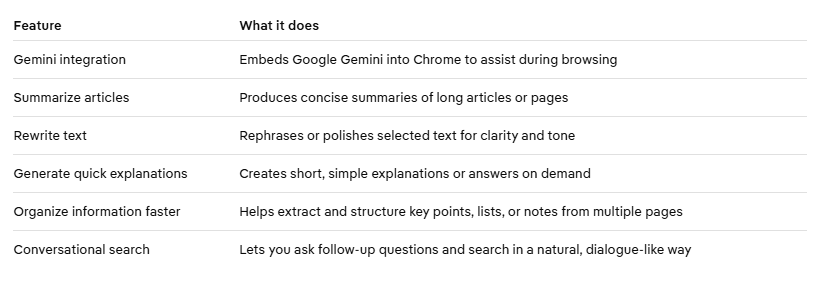
For example, if you’re researching a product, Chrome increasingly feels less like a browser and more like a research assistant sitting beside you. The AI-powered search suggestions in the address bar are also surprisingly practical. They reduce the small friction points that happen hundreds of times during daily browsing.
Syncing Across Devices Still Feels Best-in-Class
Chrome’s synchronization remains one of its strongest advantages. You can Open a tab on desktop and continue on mobile, Sync passwords instantly, Access bookmarks anywhere, Autofill payment and login details. For people heavily invested in Android and Google services, the experience feels seamless in a way few competitors fully match.
Extensions, Security, and the Privacy Debate
Chrome’s extension ecosystem remains unmatched. The Chrome Web Store offers tools for nearly everything, contains Productivity,Writing assistance,Ad blocking,Web development,Shopping comparison,Language learning.
For developers, Chrome is still considered one of the best browser environments thanks to its powerful DevTools system. On the security side, Chrome performs very well at Frequent security updates,Phishing protection, Password breach alerts, Secure sandboxing and Safe Browsing technology. For average users, Chrome is generally a safe and reliable choice. Privacy, however, remains the browser’s most debated issue. Because Chrome is deeply tied to Google’s advertising ecosystem, some users remain uncomfortable with the amount of browsing data potentially involved in personalization and ad systems.
Google has improved privacy controls over time, but privacy-focused users may still prefer browsers like Brave. Chrome is best viewed as a convenience-first browser rather than a privacy-first one.
Pros and Cons
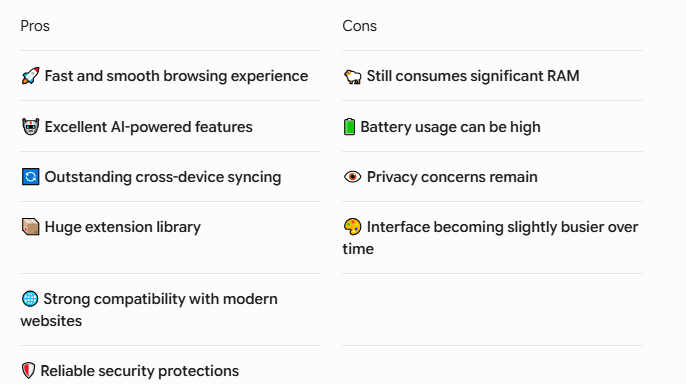
Who should keep using Google Chrome?
Recommended for:
Heavy Google ecosystem users (Gmail, Google Drive, Android, Calendar, Meet)
Office workers and students who juggle cloud apps, meetings, and research tabs
Developers and power users who rely on DevTools and extensions
Who might want to switch?
Users prioritizing privacy
Users needing the lightest possible performance and longest battery life (consider Firefox, Brave, or Safari)
Customer Reviews of Google Chrome
“Perfect for work and personal use”
“I switch between my office laptop and Android phone constantly, and Chrome makes everything feel connected.“”
“Fast, but definitely heavy”
“Performance is great, but once I open too many tabs, my laptop starts struggling.”
“The extensions are hard to leave behind”
“I tried switching browsers several times, but Chrome’s extension ecosystem always pulls me back.”
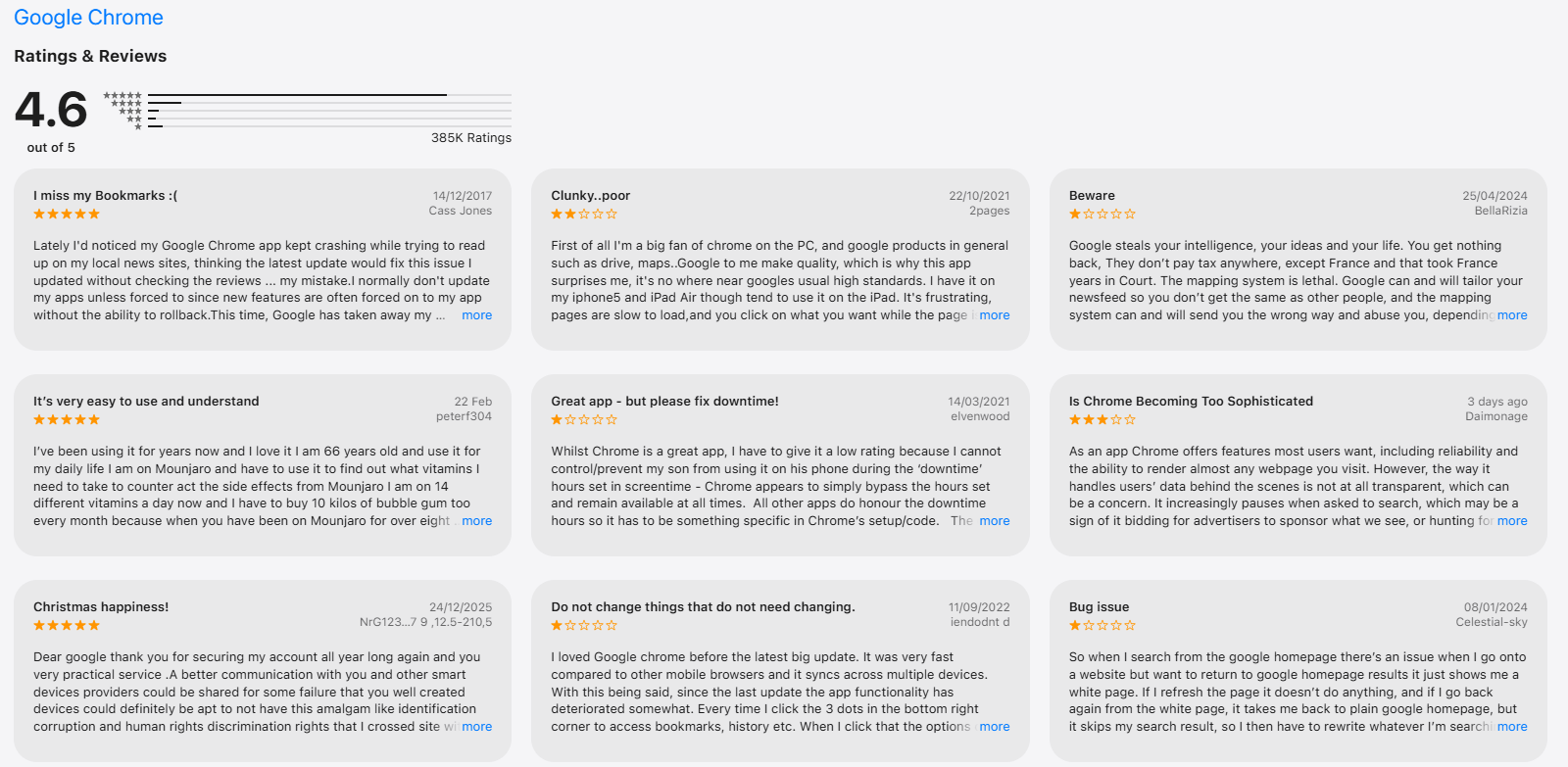
Ratins and reviews from users:
Conclusion & Verdict
Google Chrome in 2026 remains one of the most complete browsers available. Its strengths have shifted from purely speed to intelligent browsing and ecosystem continuity — Gemini-driven AI features and seamless syncing provide small but meaningful productivity gains. Drawbacks remain: resource usage and privacy concerns are still relevant. If you prioritize convenience, compatibility, and productivity, Chrome is a dependable, hard-to-replace choice.